8KSec - BadPreference
Discovering a hidden debug mode through UserDefaults manipulation

BadPreference
This iOS mobile app exploitation challenge involves discovering and activating a hidden debug mode within the app’s internal preferences to reveal a secret flag. The debug state cannot be triggered through the UI or by static analysis alone, so the task requires manipulating the app’s runtime behavior or internal settings to make the app believe it is running in debug mode.
1. Investigating the .plist file
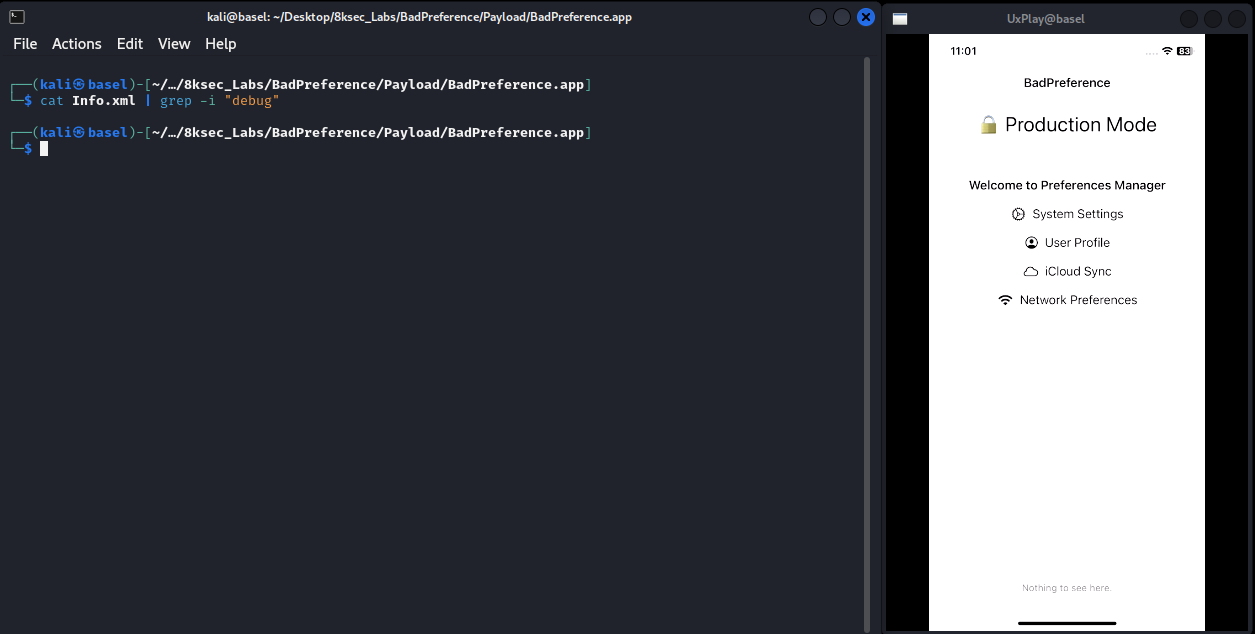
- The first step was inspecting the application's
.plistfile for any configuration related to debugging or hidden settings. - No obvious debug flags or interesting keys were exposed.
2. Mach-O File Analysis
- I ran
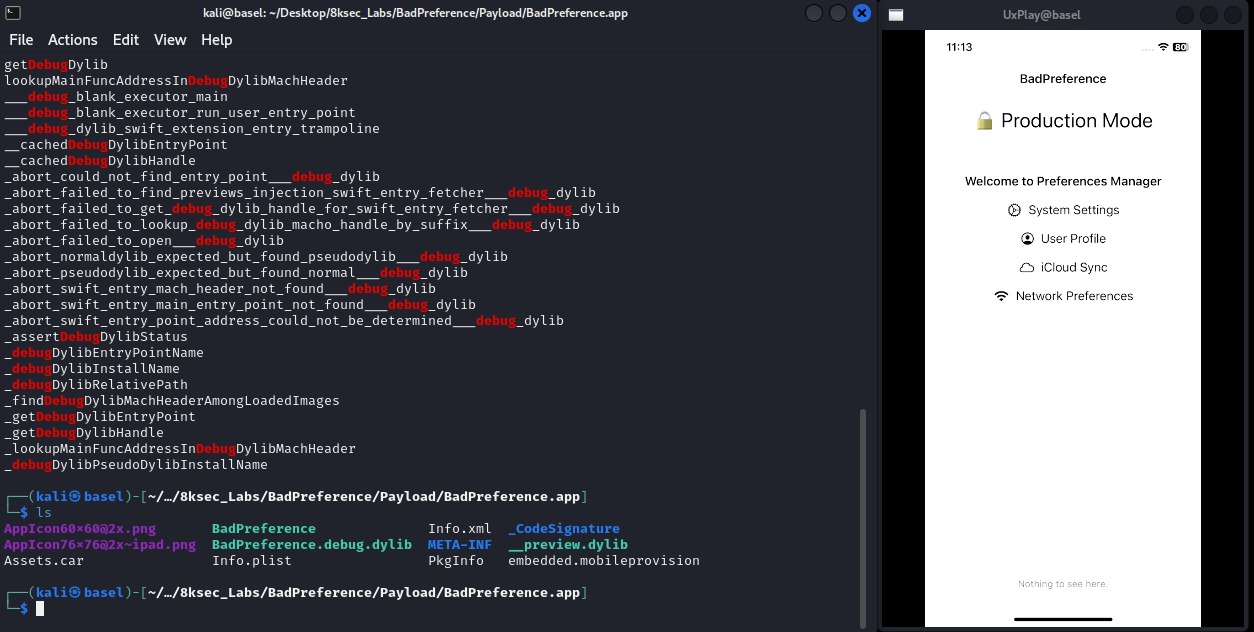
stringson the main executable and found multiple references to a companion debug library namedBadPreference.debug.dylib. - The strings also referenced a dedicated debug entry point and several loader-related helpers.
- This indicated that the application may dynamically load this debug-only dylib using
@rpath. - After extracting the IPA, I confirmed that
BadPreference.debug.dylibwas present inside the application bundle. - This suggested that the intended attack surface might involve the debug dylib loading mechanism.
3. Reverse Engineering
- After loading
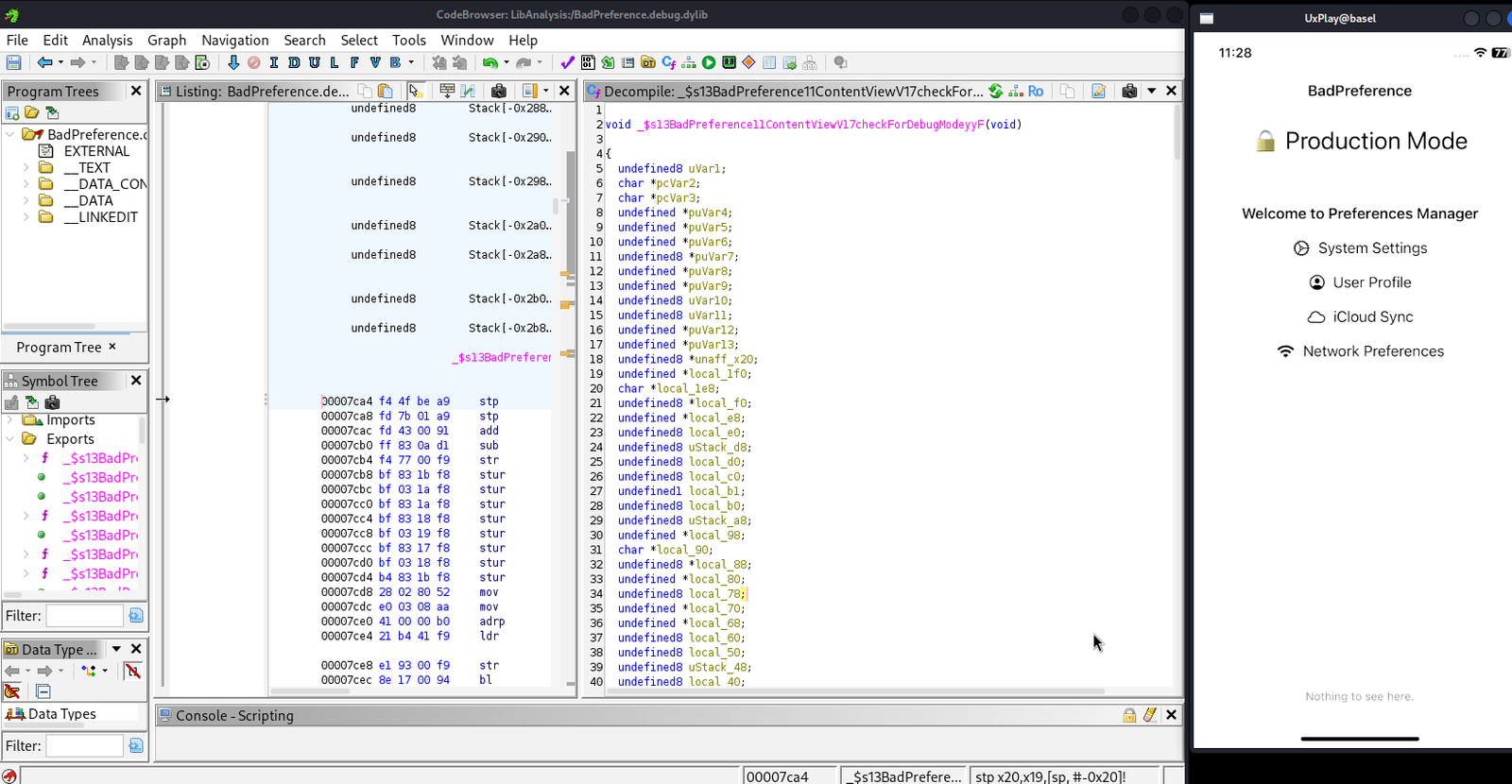
BadPreference.debug.dylibinto Ghidra, I discovered a Swift-generated function named_$s13BadPreference11ContentViewV17checkForDebugModeyyF. - This corresponds to the Swift method
ContentView.checkForDebugMode(). - The function dynamically constructs the preference key "com.app.debugMode" by concatenating single-character string literals at runtime.
- It then queries
NSUserDefaultsusingstringForKey:to retrieve the stored value. - The returned value is compared against the string "true".
- If the value equals
"true", the application enables a hidden debug state. - When the debug state is enabled, the flag CTF{the_prefs_are_bad} is assigned to a SwiftUI state variable and rendered in the UI.
This confirms that the challenge can be solved by manipulating the application's UserDefaults rather than patching the binary.
void _$s13BadPreference11ContentViewV17checkForDebugModeyyF(void)
{
  ...
  // dynamically builds the key "com.app.debugMode"
  // reads value from NSUserDefaults
  // compares the value to "true"
  // if true -> enable debug state
  // reveal flag CTF{the_prefs_are_bad}
}
4. Unlocking Debug Mode via UserDefaults
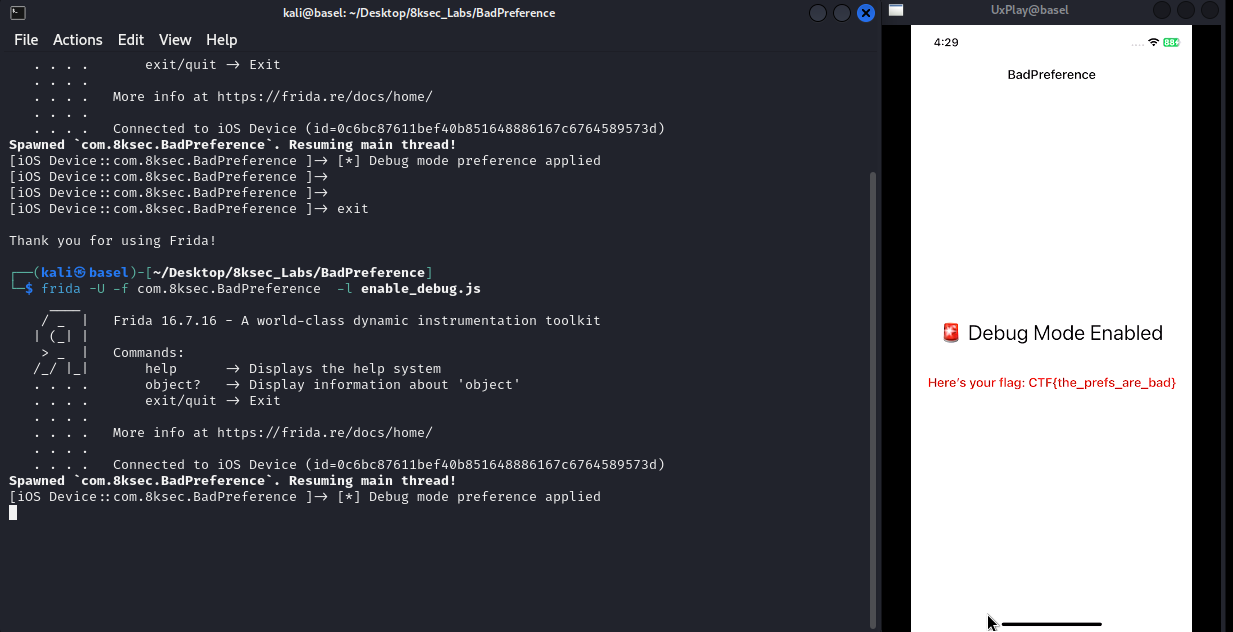
iOS keeps UserDefaults values cached in memory and periodically writes them to disk automatically. Developers rarely call synchronize() manually anymore because the system handles persistence in the background.
For this challenge, however, forcing synchronization helps apply the change immediately so the app reads the updated value during the next launch.
If the key com.app.debugMode exists and its value is the string "true", the application enters debug mode and reveals the hidden flag.
We can inject this preference directly using a small Frida script:
ObjC.schedule(ObjC.mainQueue, function () {
  const defaults = ObjC.classes.NSUserDefaults.standardUserDefaults();
  defaults.setObject_forKey_("true", "com.app.debugMode");
  defaults.synchronize();
  console.log("[✓] Debug mode preference applied");
});
5. Conclusion
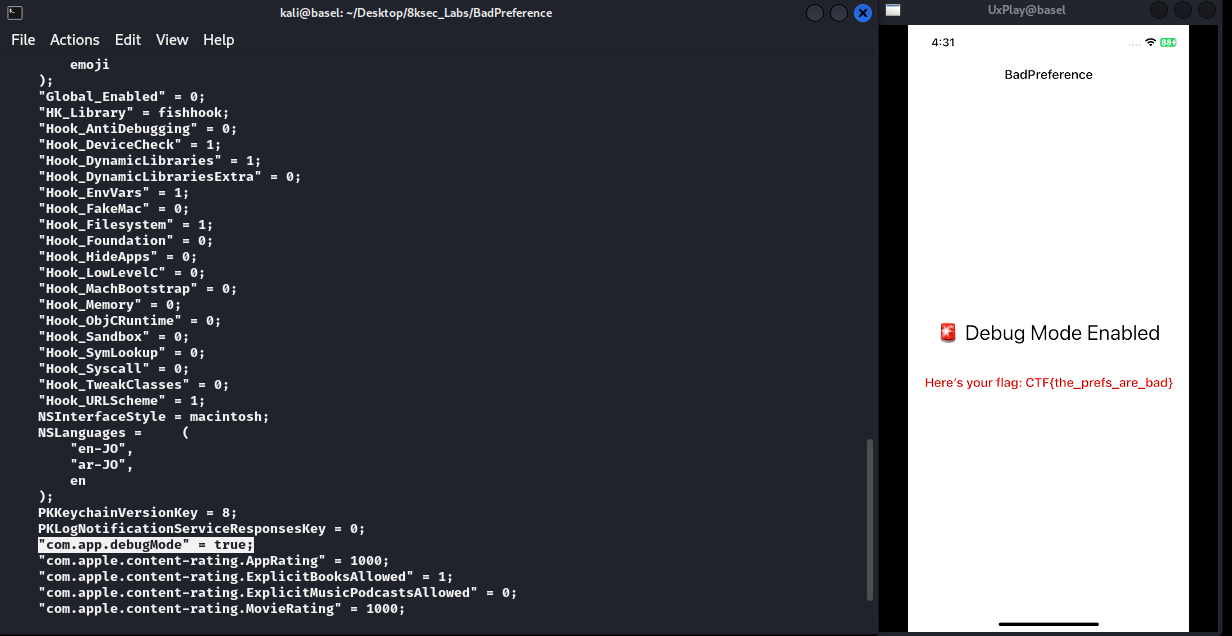
- The application's hidden debug functionality is controlled by a single
UserDefaultskey. - If
com.app.debugModeis set to the string"true", the application switches to debug mode. - This debug state reveals the flag CTF{the_prefs_are_bad}.
- By injecting this value at runtime using Frida and forcing a synchronization, we can trigger the hidden debug path and solve the challenge.